
Digital Assets
Publish content-addressed media and mint a standard one-of-one Supra Digital Asset.
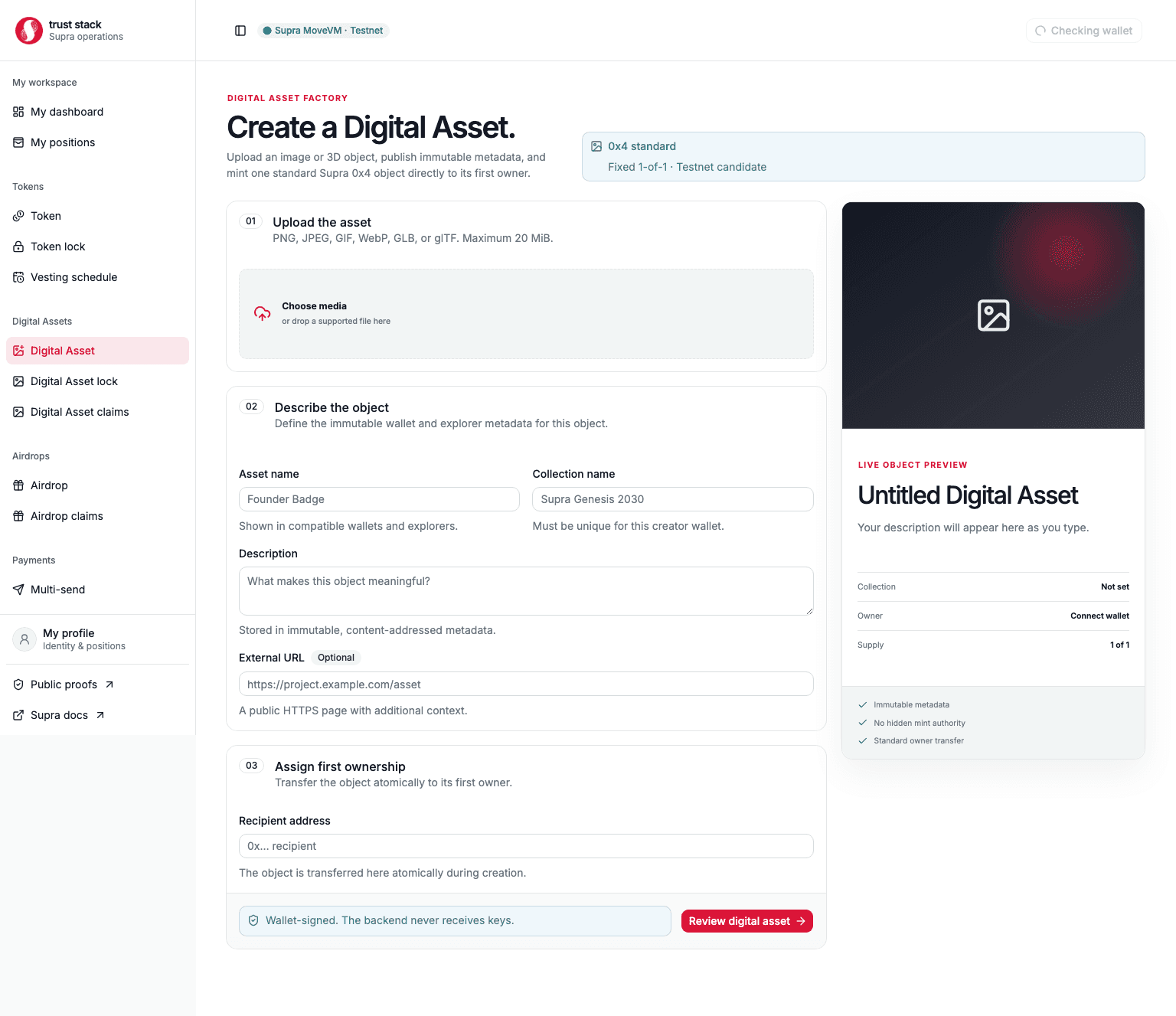
Digital Asset creation publishes bounded media, creates deterministic metadata, mints one standard
Supra 0x4 Digital Asset, and transfers first ownership in one wallet-signed transaction.
Supported media
- PNG, JPEG, GIF, and WebP images
- GLB v2
- glTF JSON with a valid
asset.version - maximum file size: 20 MiB
For portable 3D assets, prefer GLB. The current glTF path stores only the selected JSON document and does not bundle external buffers or textures.
Create an asset
- Select a supported local file.
- Enter the asset name, collection name, description, optional HTTPS project URL, and first owner.
- Upload. The media service verifies authoritative bytes and stores them under a SHA-256 content address.
- Review the immutable media and metadata URLs.
- Sign the creation transaction in StarKey.
- Save the emitted token and collection object addresses.
The upload is not a mint. The media API cannot sign or submit wallet transactions. Creation is
reported only after the finalized DigitalAssetCreated event matches the reviewed collection,
asset, URLs, recipient, and object addresses.
Contract properties
- fixed collection maximum supply of one;
- standard transferable object assigned to the requested non-zero recipient;
- no retained collection mutator, token mutator, burn reference, or issuer transfer reference;
- collection names must be unique for a creator under framework rules.
Availability remains operational
Content addressing detects mutation; it does not guarantee perpetual hosting. Production media durability needs replicated storage and a documented retention policy.